 Sapient Coffee
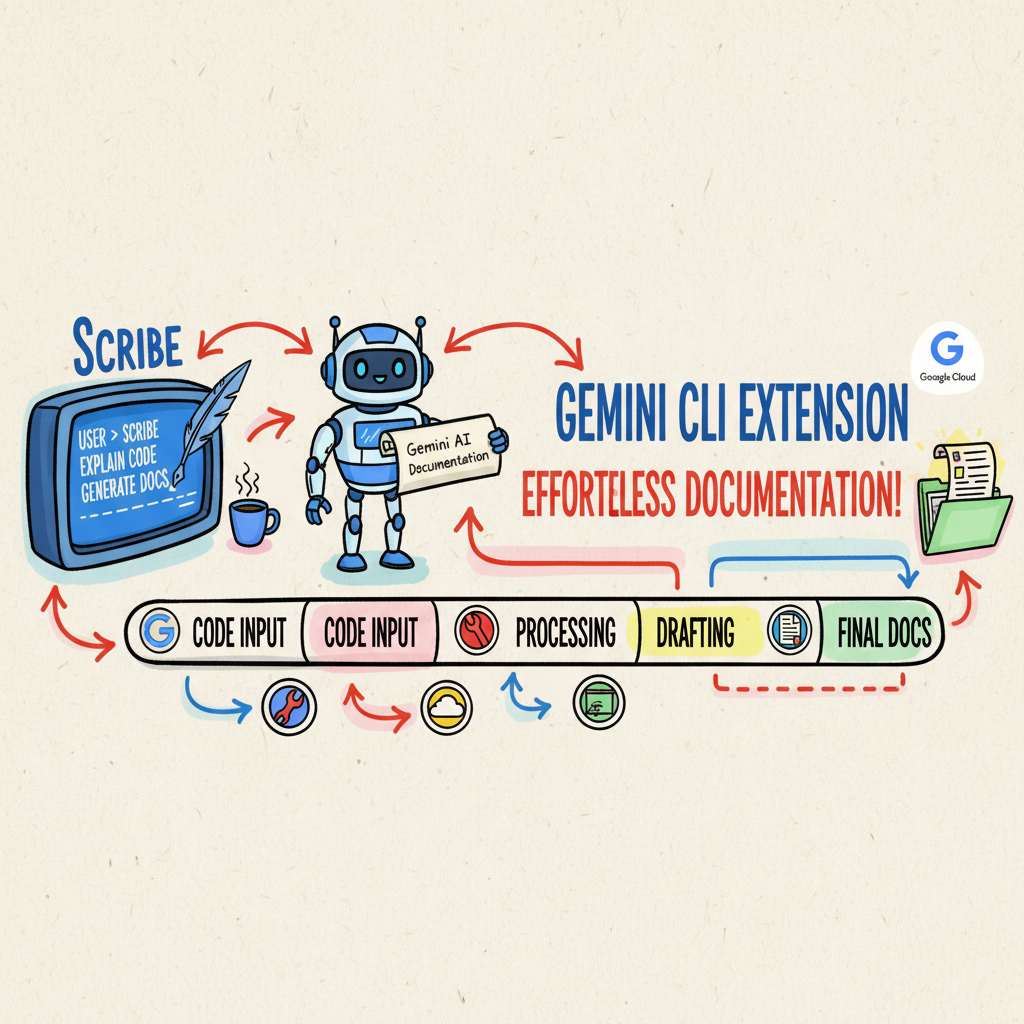
🦸💻☕ Transforming the Terminal into a Creative Studio
Picture this: You’ve just spent three days debugging a race condition that only showed up in production (because of course it did). You’re fuelled by questionable instant coffee and sheer stubbornness. You finally fix it. It’s glorious. You push the code.
Then, the dreaded Slack notification pops up from your manager: “Great work, mate! Now, can you write up a quick whitepaper on how the new architecture works for the compliance team?”
Your soul leaves your body.
We love writing code because it’s rigorous. It has linters, tests, and compilers. It tells you when you’re wrong. But writing documentation? That’s usually a messy affair. We have started to “chat” it into existence with an AI, hoping for the best. We call this “Vibe Coding”—writing based on feel rather than facts.
And for a quick email, that’s grand. But for a 50-page technical book or a compliance audit? It’s a recipe for disaster.
🚫 The Problem with “Vibe Coding”
When we rely on long chat threads to build complex artifacts, we run into two massive headaches:
- Context Amnesia: You’re on message #45, trying to write Chapter 10, and the LLM has completely forgotten the architectural decisions you made in Chapter 1. It starts hallucinating new APIs that don’t exist. It’s like trying to brew a pour-over while forgetting to heat the water—you’re just making a mess.
- Zero Audit Trail: In compliance-heavy industries (think Fintech or MedTech), you need to prove why a decision was made. “Because the robot said so” doesn’t fly with auditors.
We needed a way to bring the discipline of software engineering to the chaos of creative writing. We needed Prose as Code.
✍️ Introducing Scribe: Prose as Code
Enter Scribe.

Scribe is a Gemini CLI extension that I built to turn my terminal into a distraction-free creative studio. It operates on a simple, stubborn philosophy: We don’t rely on the AI’s memory. We rely on the file system.
Just like a database holds state for your application, Markdown files hold state
for Scribe. By persisting context in RESEARCH.md and BLUEPRINT.md, we reduce
hallucinations caused by context window limits.
This isn’t just for code docs. Scribe was explicitly built with PRDs, Whitepapers, and Technical Books in mind. It’s a prime example of using the Gemini CLI for something completely “unusual”, not just using for code, but architecting entire narratives.
🏭 The Workflow: An Agentic Assembly Line
Instead of one massive prompt trying to do everything (and failing), Scribe enforces a strict, 6-stage pipeline. It’s an “Agentic Assembly Line” where “Stateful File Handoffs” replace messy chat history.
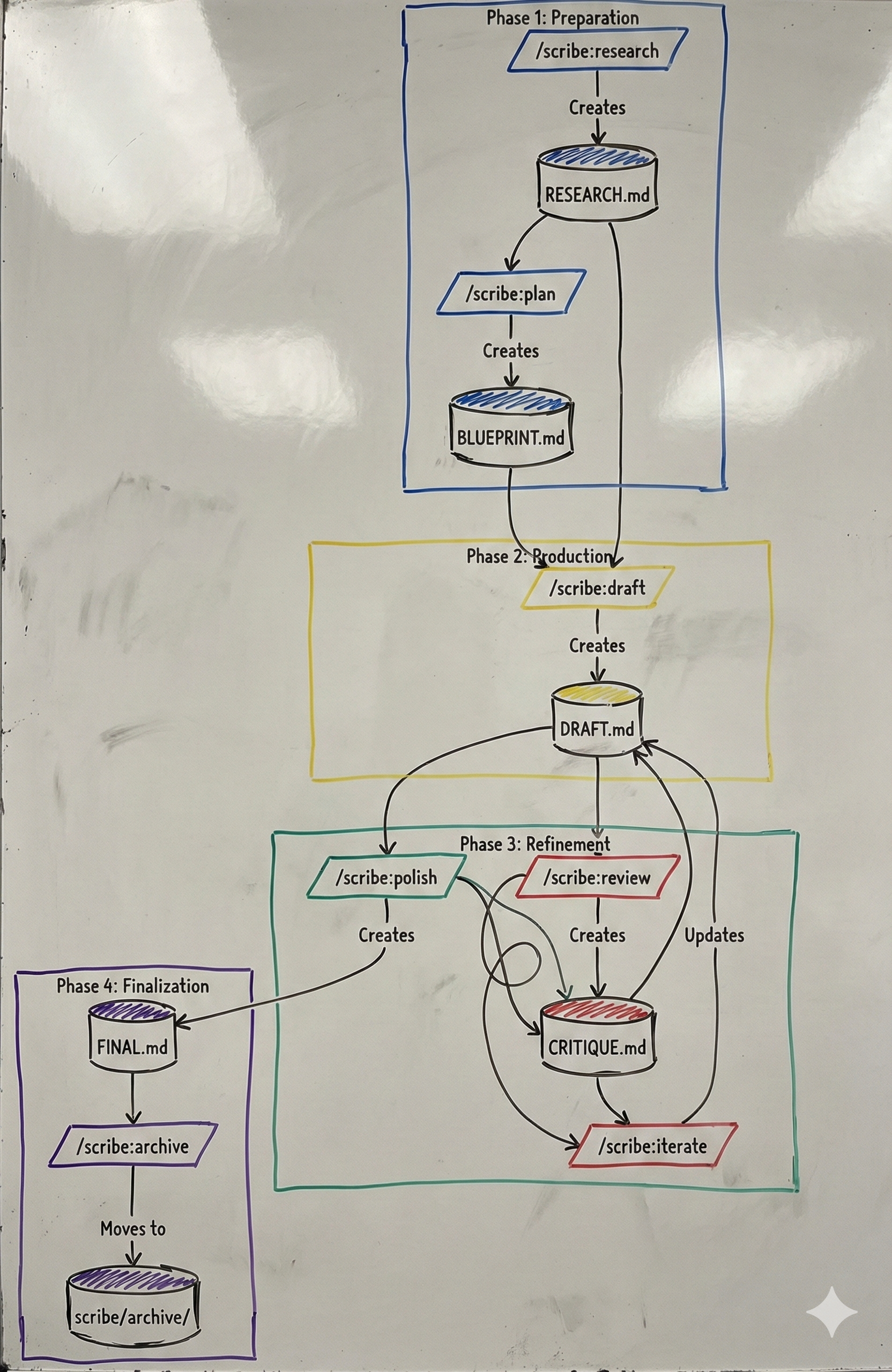 From Research to Polish: The Scribe pipeline.
Here’s how it works:
- Research (
/scribe:research): The “Researcher” persona scours the web and local files to build aRESEARCH.mddossier. It creates a single source of truth, grounding the AI in facts before a single word of prose is written. - Plan (
/scribe:plan): The “Architect” reads the research and builds aBLUEPRINT.md. This is your Spec. It’s the API definition of your document. It also tricks your brain: writing a bulleted spec feels like engineering, not “writing,” which cures the procrastination of facing a blank page. - Draft (
/scribe:draft): The “Writer” implements the spec intoDRAFT.md. It doesn’t have to think about what to say (the Spec covers that), only how to say it. - Review (
/scribe:review): This is the killer feature. We load a “Coach” persona to run “tests” against your prose. You can swap lenses—run a--lens=devilreview to find logical holes, or a--lens=storyreview to fix the flow. - Iterate (
/scribe:iterate): Apply the fixes. - Polish (
/scribe:polish): A final pass for grammar and style.
🤖 Human-in-the-Loop (The “Ghostwriter” Mode)
It’s worth noting that Scribe is modular by design. You don’t have to let the AI generate the words.
I often use the extension just for the Research and Plan phases to get my
thoughts in order. Then, I write the DRAFT.md myself. Once I’m done, I bring
the AI back in for the Review phase to coach me on my writing. It’s like
having a team of editors on call, even if you prefer to hold the pen yourself.
⚙️ Under the Hood: Modular JIT Architecture
The “unusual” part of this story is the architecture. In early prototypes, I used a monolithic system prompt. It was a massive wall of text trying to teach Gemini how to be a Researcher, Writer, and Editor all at once.
It was a nightmare. The Writer would start critiquing itself mid-sentence. The Researcher would try to write the conclusion.
So, I shifted to a Modular JIT (Just-In-Time) Context.
Scribe defines personas in isolated TOML configuration files. When you run
/scribe:draft, the tool only loads the “Writer” system prompt. When you run
/scribe:review, it unloads the Writer and loads the “Critic.”
This separation of concerns reduced our token costs by nearly 80% and drastically improved adherence to instructions. It’s efficient, it’s clean, and it’s proper engineering.
🧪 Why I Built This: Towards “Production-Grade” AI
To be honest, I didn’t just build Scribe because I hate writing docs. I built it because I wanted to understand what it really takes to build and publish an extension on geminicli.com.
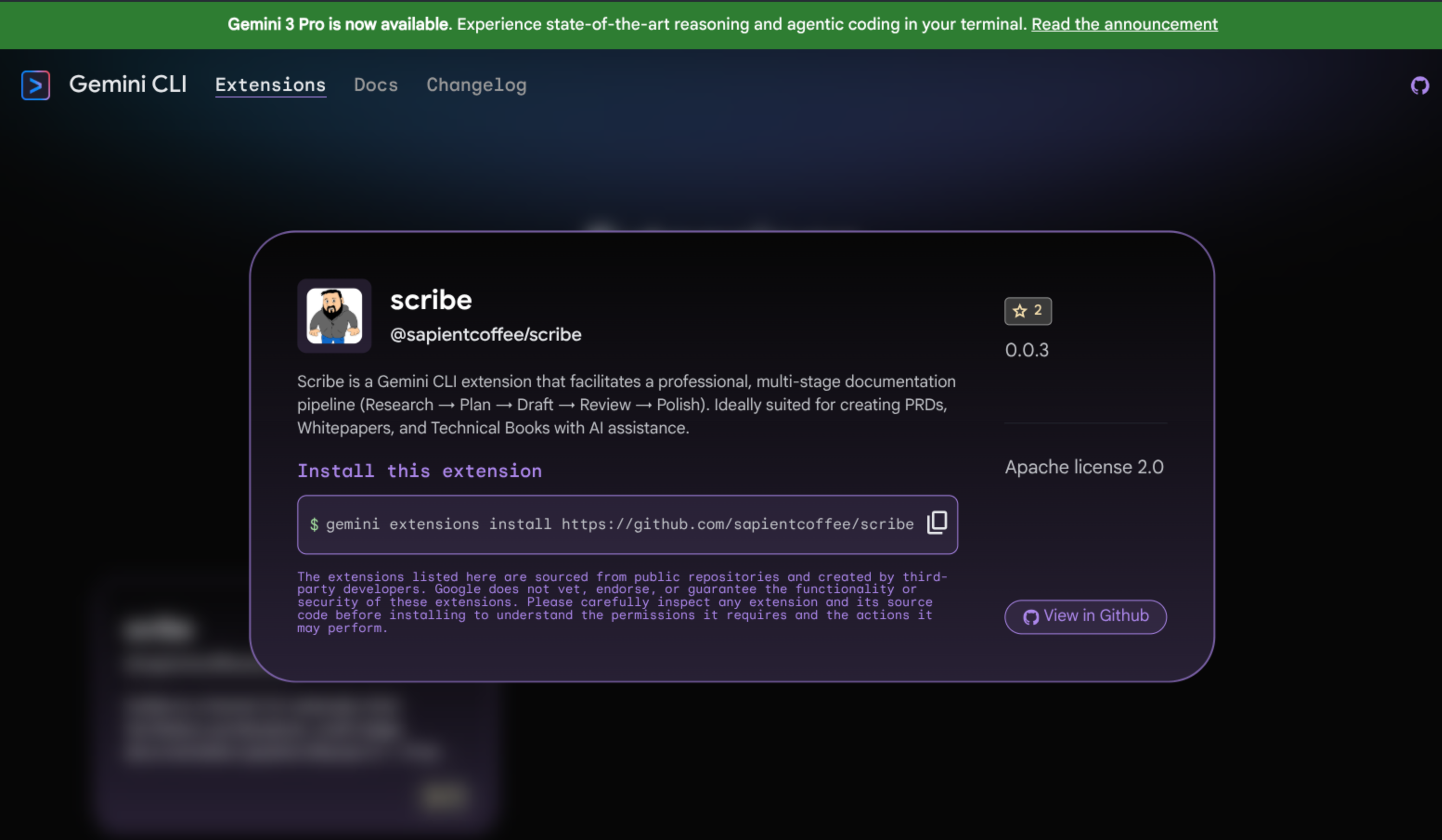
But more importantly, I’m obsessed with the idea of “Productionising” AI.
In software, we have robust CI/CD pipelines. We know that if we change a line of code, our tests will tell us if we broke something. But with AI? We usually just cross our fingers.
I want to get to a place where we can treat prompts like code.
- Regression Testing: If I update the model version, does my output get better or worse?
- Eval Frameworks: Can I run a test suite (using tools like
promptfoo—which I’ll cover in deep detail in my next post) that scores the “creativity” or “accuracy” of the output? - Cost/Value Ratio: Is this change actually adding value to the context, or just burning tokens?
Scribe is my sandbox for these ideas. It’s an attempt to bring the predictability of software delivery to the unpredictable world of GenAI.
🚀 Conclusion: The Terminal as a Studio
We usually think of the terminal as a place for git, grep, and potentially
breaking production. But with tools like Scribe, it becomes a focused, rigorous
environment for high-stakes creativity.
By treating documentation as a spec-driven engineering problem, we can cure “Blank Page Paralysis” and ensure our whitepapers are as robust as our code.
What’s next? I’m working on adding Git Awareness (so Scribe refuses to overwrite dirty files—safety first) and Semantic CI/CD, where we can actually lint documentation for ambiguity inside GitHub Actions.
I also want to experiment more with using this for PRDs and planning steps in the SDLC (check out my thoughts on The 8 Stations of AI for more context). As we make the process more “production-grade,” I also want to strictly monitor token costs. Interactions with the model need to be efficient and cost-effective, not just “magical.”
Ultimately, what I’ve built so far is just a starting point, me scratching a personal itch. But I think it points to a future where our tools are as context aware as we are.
So, go on. Grab a brew, fire up your terminal, and start building something beautiful.
Takeaway: Want to try “Spec-Driven Documentation” manually? Before you ask an LLM to write anything, force yourself to write a bulleted “Spec” file first. Feed that spec to the model as its primary constraint. You’ll be amazed at the difference.