 Sapient Coffee
🔒💻☕ The Case for Private Gemini CLI Extensions: Brewing Your Own Blend
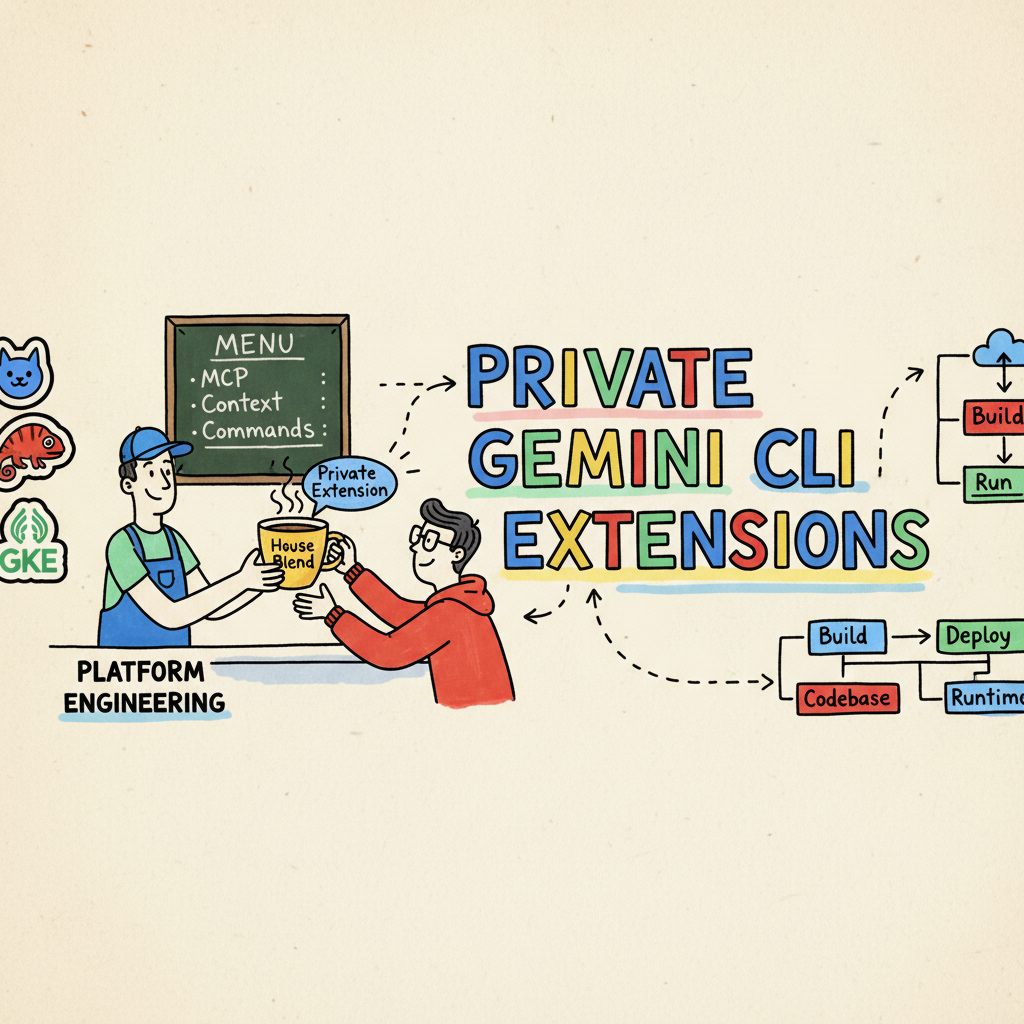
Picture this: You walk into your favourite coffee shop. You ask for “a coffee.” The barista stares at you blankly. “What kind? Espresso? Filter? Cold brew? A triple-shot-oat-milk-extra-hot-latte?”
Navigating a massive, generic menu can be paralyzing. It’s the same with AI tools. The public Gemini CLI extension catalog is brilliant—it’s like a global coffee festival with every bean imaginable. (I even built my own, Scribe, to help me write better documentation!)
But sometimes, your team doesn’t need every bean. They need their bean. They need the “House Blend”—curated, consistent, and specifically roasted for their taste.
That’s where Private Gemini CLI Extensions come in.
For enterprise Platform Engineering teams, moving from “grab whatever from the public catalog” to “here is our curated developer toolkit” is the shift from chaos to a streamlined, high-performance culture.
The Enterprise Case: Why “Bring Your Own Beans”?
We all love the public catalog. It’s a great way to see what’s possible. But in an enterprise environment, relying solely on public extensions is a bit like letting everyone bring their own kettle to the office. It works, but it’s messy. It also increases risk—the kettles haven’t been checked for safety standards (PAT tested in the UK).
Here is why you need a Private Catalog:
- Curation & Governance: You don’t want your junior devs using five different, unvetted “Code Review” prompts. You want them using the standard prompt that aligns with your specific style guide.
- Avoid Context Overload: The latest DORA AI Capabilities report warns that dumping all context into the model degrades performance. If you have every MCP tool known to mankind configured (Jira, GitHub, GitLab, Salesforce, ServiceNow…), the tool can get confused and slow. Curated extensions keep the context window focused and fast.
- Security: This is the big one. Public extensions are great, but you can’t easily wrap your internal, firewall-protected APIs (like that legacy user database) in a public package. A private extension keeps your Model Context Protocol (MCP) servers safe behind your auth layer.
- Onboarding: Imagine a new joiner. Instead of sending them a wiki page with 50 links, you say: “Install the Company X Dev Pack.” Boom. They have access to every doc, tool, and best practice instantly.
The Technical Enabler: Git-Based Distribution
The real magic is in how these extensions are distributed. You aren’t tied to a central public registry. The CLI supports direct installation from any Git repository, public or private, using HTTPS or SSH:
|
|
This simple command is the key enabler for enterprise adoption. It means you can
host your private extensions on your internal GitHub Enterprise or GitLab instance,
manage versions with tags (--ref v1.2), and ensure everyone stays on the
latest approved version (--auto-update). It treats your AI tools just like
any other software dependency.
Crucially, this works because of a single file: gemini-extension.json. As long
as this manifest exists in your repo root, the CLI knows exactly what to do.
|
|
Let’s look at how this plays out for three key personas in your team.
The extension can be a simple and consist of slashcommands, context and an MCP server for the specific need (like Scribe) or it could be a collection of MCP servers, more rounded context and additonal slash commands specific to more end to end workflows.
🦸 The Developer: Batteries Included
For your everyday feature developer, context switching is the enemy. Every time they leave their terminal to check Jira or find a doc, focus evaporates.
A tailored “Developer Extension” is their “batteries-included” kit.
- Slash Commands:
/reviewdoesn’t just ask for a generic review; it pulls in yourangular-styleguide.mdcontext file and critiques the code against your specific rules./planis a critical step to workout how best to implement a new feature of change (see an awsome example a colleague put together https://github.com/ddobrin/gemini-plan-commands) - MCP Integration:
- GitHub/Jira: Connects directly to your private repos and boards.
- Context7: Hooks into the latest documentation that the model might not have been trained on.
- CI/CD: Checks pipeline status without leaving the command line.
It’s like having a senior engineer pairing with them, constantly whispering standard conventions in their ear.
What should be included? Thats the ultimate question, you should start small and grow. Thing about each of the steps you take in doing “the day job” and consider how to enhance or streamline with AI. Note: this will vary between individuals and the hierachy nature of how Gemini CLI (https://github.com/ddobrin/gemini-plan-commands) works if great for this, you can have you individual configutaions combined with the team “standards”.
🕵️ The SRE: Mission Control
For the Site Reliability Engineer, speed and visibility are everything. When an incident hits, they don’t want to be fumbling for login credentials.
The “SRE Extension” turns the CLI into a command center.
- Slash Commands:
/status: Uses the Observability MCP to pull real-time error rates and latency metrics from Google Cloud Monitoring./incident: Automatically creates a new incident channel, spins up a Google Doc from apost-mortem-template.md, and pages the on-call lead via PagerDuty./logs: Queries Cloud Logging with pre-baked filters for your specific error codes.
- Context: It comes pre-loaded with
incident-playbooks.md. The model knows exactly which runbook to suggest based on the error logs it sees.
📱 The Mobile Dev: The App Store Whisperer
Mobile development is a different beast entirely, with its own specific headaches around provisioning profiles and store approvals.
A “Mobile Extension” speaks their language.
- Slash Commands:
/screenshots: Automates the tedious task of generating localized screenshots for the App Store./build: Triggers the specific fastlane pipeline for a beta release.
- Context: Loaded with
material-3-design-specs.mdandflutter-performance-best-practices.md, ensuring every UI tweak aligns with the latest design system updates. - MCP Integration: Connects to Android Studio (Logcat) and App Store Connect for seamless release management.
🎩 Wearing Multiple Hats: The Polyglot Workflow
In the real world, we rarely stay in one box. One minute some of use are fixing a backend API bug (Dev), the next you’re debugging a prod latency spike (SRE).
If you had all those tools enabled at once, your CLI would be slower than a dial-up modem.
The beauty of extensions is that they are modular. You can hot-swap your persona based on what you are doing right now:
|
|
This keeps your context clean, your tools relevant, and your tool interaction snappy. You will also save on token count ££) by not wasting it with irrelevant infromation.
🔄 Iterate and Evolve
Finally, remember that these extensions are not stone tablets. We are in a world where AI models and features change weekly.
Treat your internal extensions like internal products.
- Gather Feedback: Is the
/reviewcommand actually helpful, or is it too nitpicky? - Monitor Usage: Which commands are being used? Which are ignored?
- Update Frequently: As you learn better prompting techniques or as the Gemini model gets smarter, update your context and prompts.
- Release Often: Tag a new version (
v1.2.0) in your git repo and let the--auto-updateflag handle the distribution.
Don’t let your toolkit go stale. Continual learning is the only way to stay ahead.
📚 Examples (Demo)
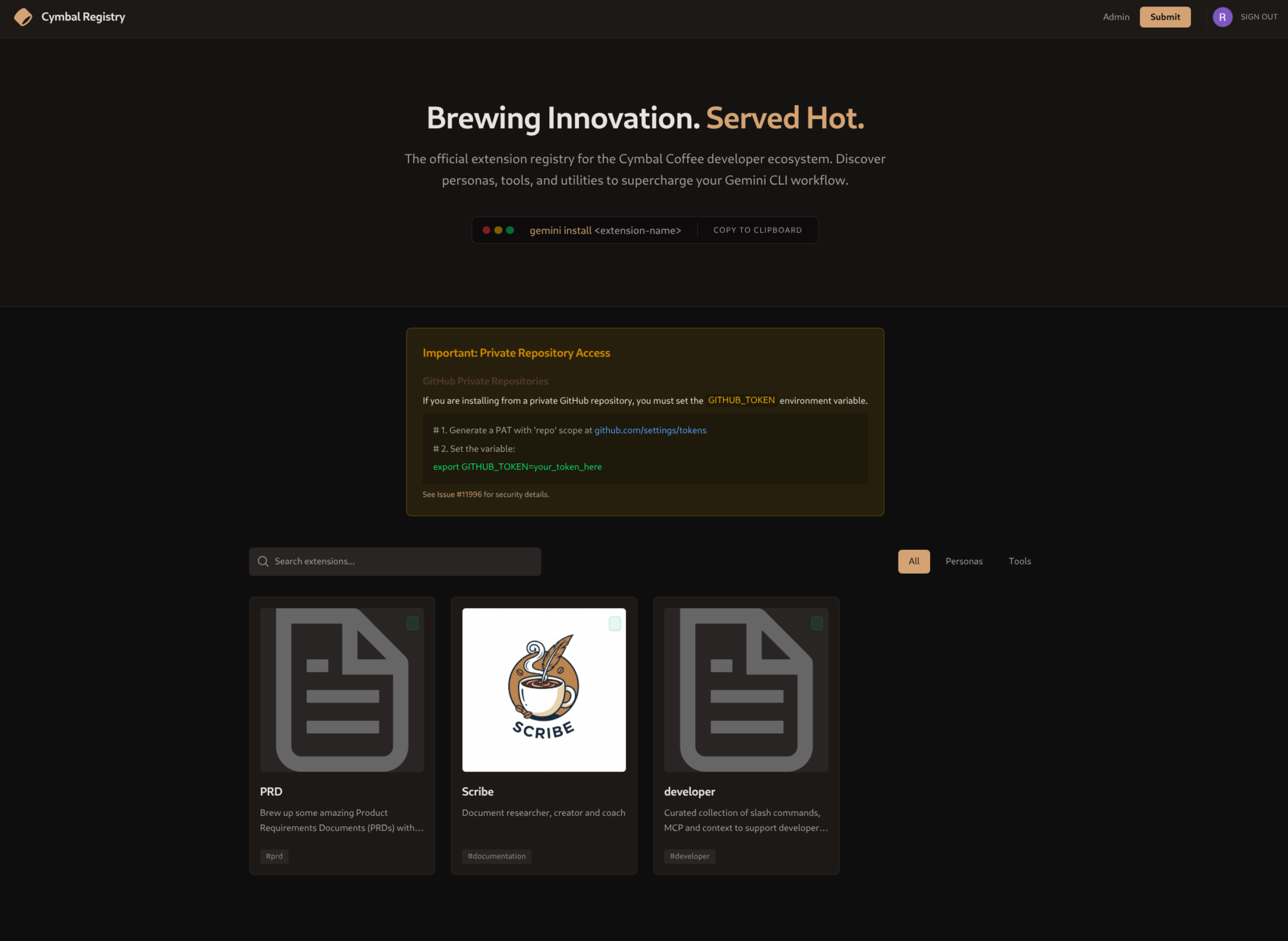
I wanted to test this out and create a demo for customer conversations. I created a portal/catalog and some example extensions.

- Private Catalog Example:
A template for hosting your own index of approved extensions.
- Basic Private Extension: A simple “Hello World” style extension to show the structure.
- Developer Persona Extension:
A more complex example featuring the
/planand/reviewworkflows mentioned above.
> Note on Governance: Today, you can’t technically “block” users from installing public extensions without forking the CLI itself. Think of a Private Catalog as a “Paved Road”—if you make the private tools better and easier to use, people will choose them naturally.
Wrapping Up: The Perfect Brew
Building a private catalog isn’t just about locking things down. It’s about empowerment. It’s about giving your teams a tool that feels like it was custom-made for them.
It removes the cognitive load of “how do I prompt this?” and replaces it with “what shall we build today?”.
So, stop serving generic instant coffee. Start roasting your own blend. Your team (and their productivity metrics) will thank you.
Now, go grab a proper brew and crack on! ☕🚀